What Is Web AR? How Browser-Based Augmented Reality Works
What is web AR? How augmented reality runs in a phone browser without an app, the main types, web AR vs app AR, and real campaign results from Indonesia.
In this article
Web AR is augmented reality that runs in a phone's web browser. Someone scans a QR code or taps a link, allows camera access, and digital content appears on the real world: a character on a product pack, a frame around their face, or a doorway into a branded world. Nothing to install.
See our web AR service.
What Is Web AR, Exactly?
Augmented reality (AR) puts digital objects on top of what the camera sees. Traditionally that needed a dedicated app. Web AR (also written WebAR) does the same with web technologies, so it runs in Chrome on Android or Safari on iPhone. The experience lives at a normal URL, which means it can be shared in a chat, printed as a QR code on packaging or placed on a poster at an event.
How Web AR Works
- The trigger. A QR code, link, NFC tag or ad sends the user to a web page.
- Camera access. The browser asks for permission to use the camera.
- Tracking. The page recognises something in the frame: a printed image, a face, or a flat surface such as a table or floor.
- The content. 3D models, animation, a game or a photo frame are drawn on top and move with the camera.
- The action. The user plays, takes a photo, shares it or claims a reward.
The Main Types of Web AR
| Type | What it tracks | Typical use |
|---|---|---|
| Image tracking | A printed image such as a pack, label or poster | Interactive packaging, print ads, point-of-sale |
| Face tracking | The user's face | Photo filters, try-ons, character frames |
| Surface placement | A floor or tabletop | Product previews, 3D characters in a room |
| Portal | A surface the user walks through | Immersive branded worlds, storytelling |
| Location-based | A place or check-in point | Event trails, stamp rallies, tourism |
Web AR vs App AR
| Web AR | App AR | |
|---|---|---|
| Start | Instant, from a link or QR code | Download and install first |
| Best for | Campaigns, packaging, events | Products people use every week |
| Reach | Anyone with a modern phone | Only people who install |
| Device features | Camera, motion, location | Deeper access, heavier 3D |
| Updates | Change the page, live for everyone | Release new app versions |
For most marketing campaigns, the deciding factor is the first ten seconds. A shopper standing at a shelf will scan a code; far fewer will download an app.
Web AR in Real Campaigns
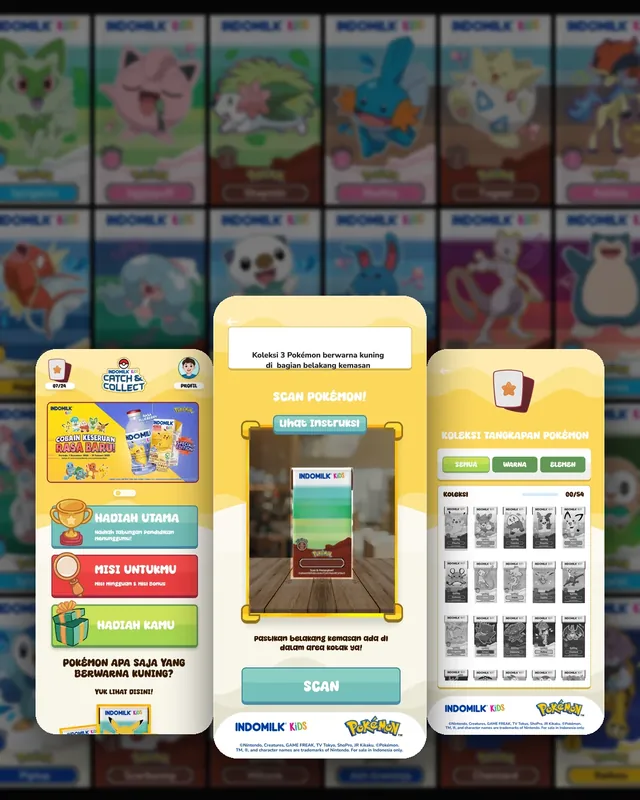
Indomilk Kids × Pokémon. Instead of a one-off on-pack promo, buyers scan the pack to capture Pokémon in AR, take on new missions every week and fill a digital Pokédex. The campaign reached 538,000 players, an average session of 2 minutes 2 seconds and 2.13M website views.
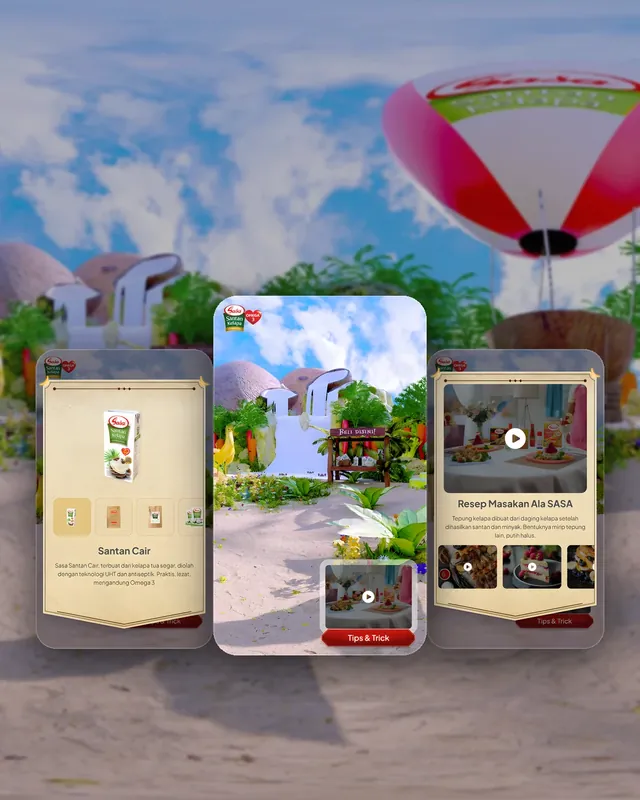
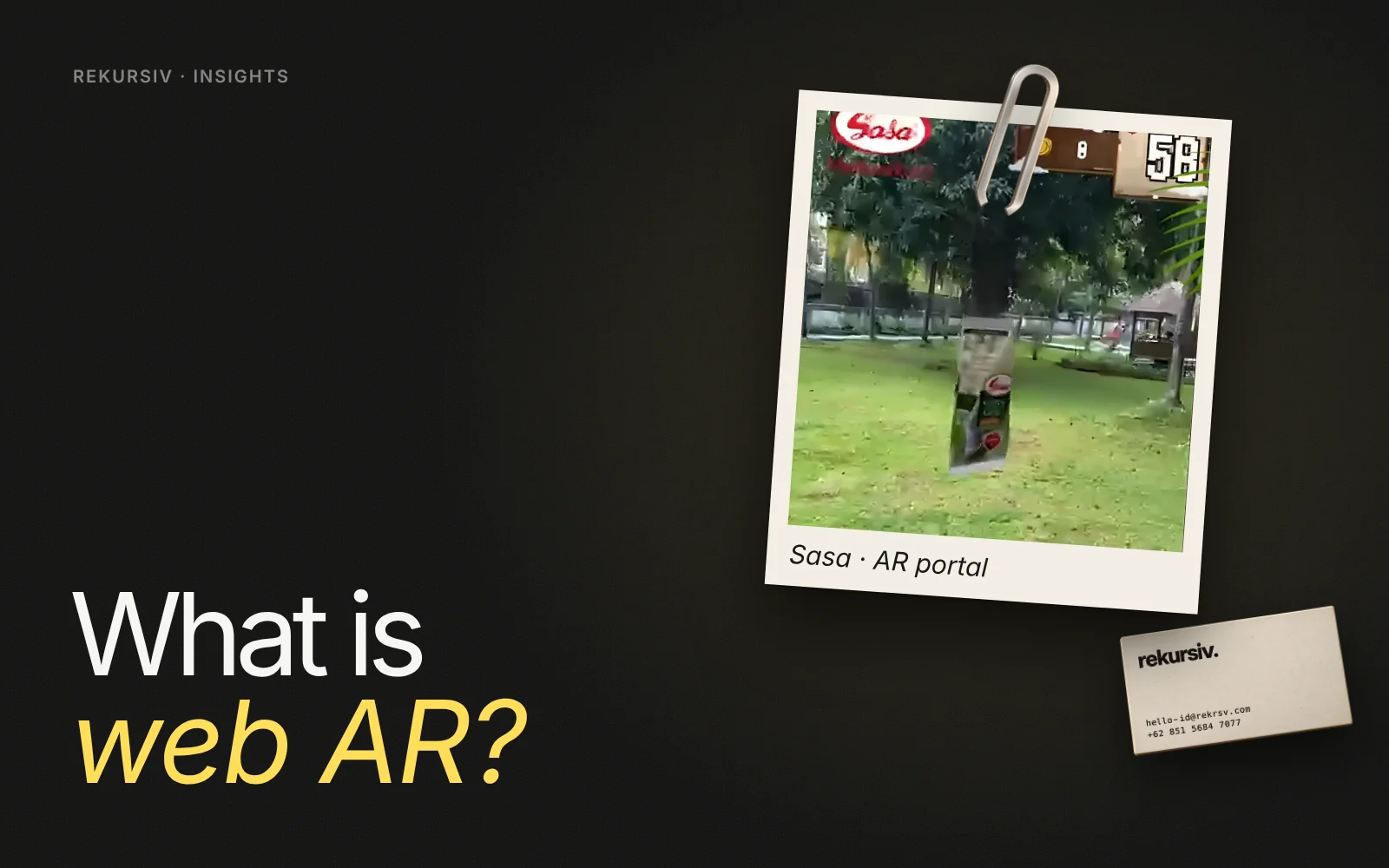
Sasa AR portal. Buyers scan a Sasa Santan pack and walk through a portal into a virtual world with recipes, product stories, a hunting game and seven entry points to explore. We ran several testing sessions on site before launch to make sure it worked for real shoppers.
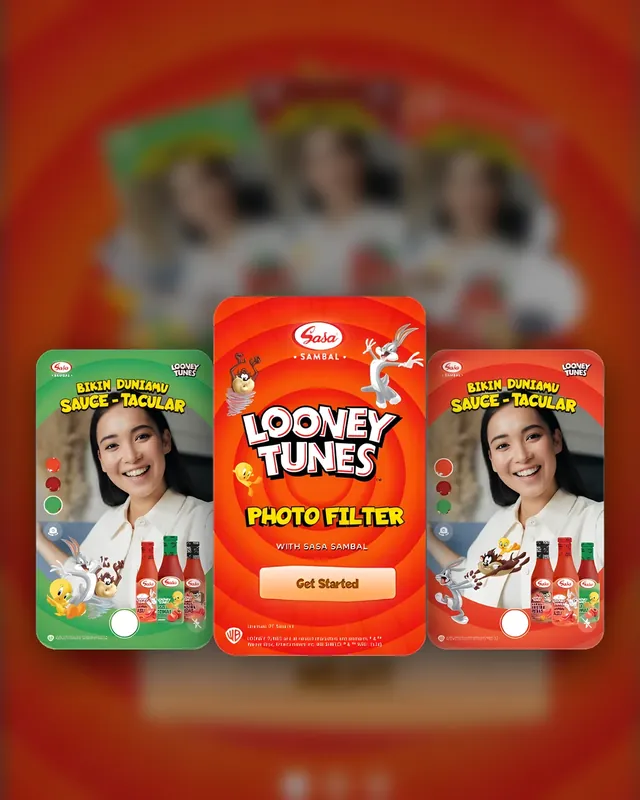
Sasa Sambal × Looney Tunes. A web photo filter: scan the bottle, pick a Looney Tunes frame that matches the variant, take a photo with Bugs, Taz and Tweety, then share it to unlock a coupon.
What Makes Web AR Work
- Fast first load. Keep the first scene light so it opens on mid-range phones and mobile data.
- One clear action. Capture, take a photo or step through: tell people in one line what to do.
- A reason to return. Missions, collections and rewards turn a single scan into repeat visits.
- Test with real users. Lighting in a supermarket aisle is not lighting in the office.
- Respect personal data. If you store photos or contact details, ask for consent and follow UU PDP No. 27/2022.
How to Start
Pick one trigger you already own, such as a pack, a poster or an event booth, and one action you want people to take. Build a short prototype, test it on the phones your audience actually uses, then launch and watch the scan data. Want help scoping it? Talk to us.
Frequently Asked Questions
What is web AR?
Web AR is augmented reality that runs in a mobile web browser instead of a dedicated app. The user opens a link or scans a QR code, allows camera access, and sees digital objects, characters or effects placed on the real world through the phone camera.
What is the difference between web AR and app AR?
App AR needs a download from the App Store or Google Play and can use more device features. Web AR opens instantly from a link, which makes it better for campaigns where people decide in a few seconds whether to try it.
Does web AR work on all phones?
It works on most modern Android phones and iPhones through their default browsers. Heavier 3D scenes need to be optimised so they load quickly on mid-range phones and mobile data, which is common in Indonesia.
What can brands use web AR for?
Interactive packaging, games played from a pack or poster, photo filters with characters or frames, portals into a branded world, product previews and event activations.
Is web AR safe for personal data?
Camera frames can be processed on the phone without being stored. If a campaign saves photos, faces or contact details, it must follow Indonesia's personal data protection law, UU PDP No. 27/2022, including clear consent.
Sources
Project figures from rekursiv case studies
- AR portal: Sasa in Wonderland Sasa
- Pokémon AR packaging Indomilk Kids × Pokémon
- Sauce-tacular: a Looney Tunes photo filter Sasa Sambal × Looney Tunes